
Building MEEMES: Character Swap vs Face Swap
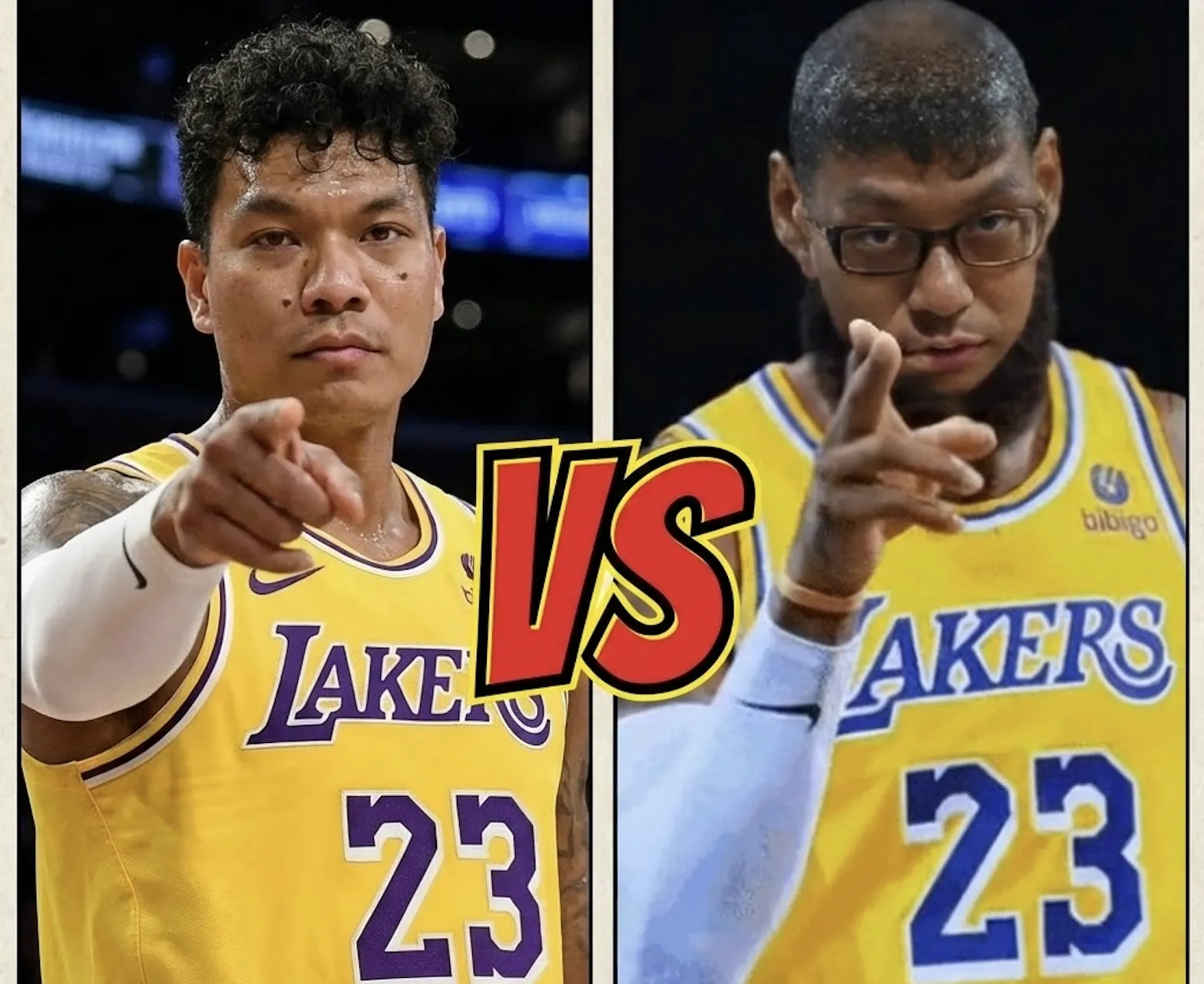
I started building MEEMES because I was frustrated. Every face swap tool I tried worked great in demos - when the person in the meme looked similar to the person being swapped in. But the moment there was a mismatch in skin tone, gender, or facial structure? The results ranged from awkward to genuinely unsettling.
That's not a niche problem. That's most people, most of the time.
The Problem With Traditional Face Swap
Traditional face swap technology does exactly what it says - it takes a face and pastes it onto another face. The AI tries to blend skin tones and match lighting, but it's fundamentally limited. It's trying to make your face fit into a space that was shaped by someone else's bone structure, skin color, and features.
This works fine when the swap is between similar-looking people. But try swapping a woman's face onto a male meme template, or any swap where there's a significant difference in skin tone, and you get... problems. Uncanny valley stuff. The kind of results you definitely don't want to share.
Enter Character Swap
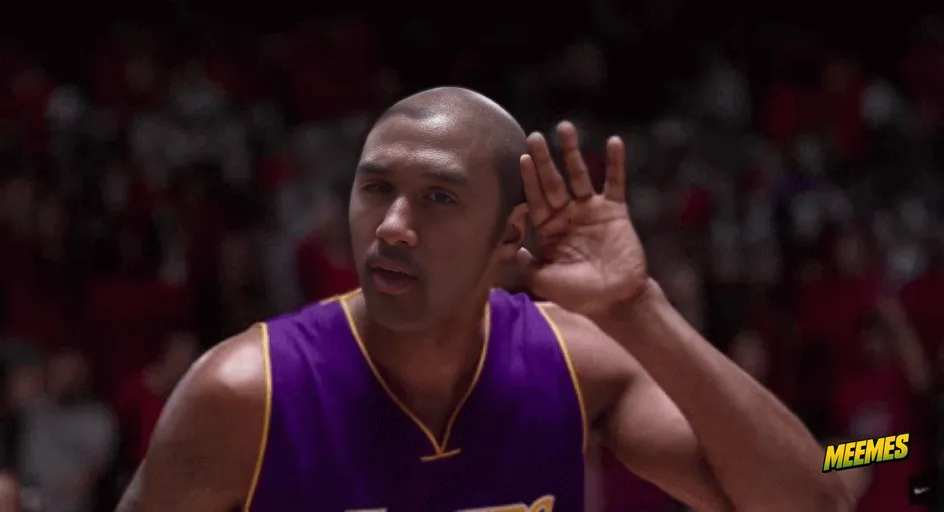
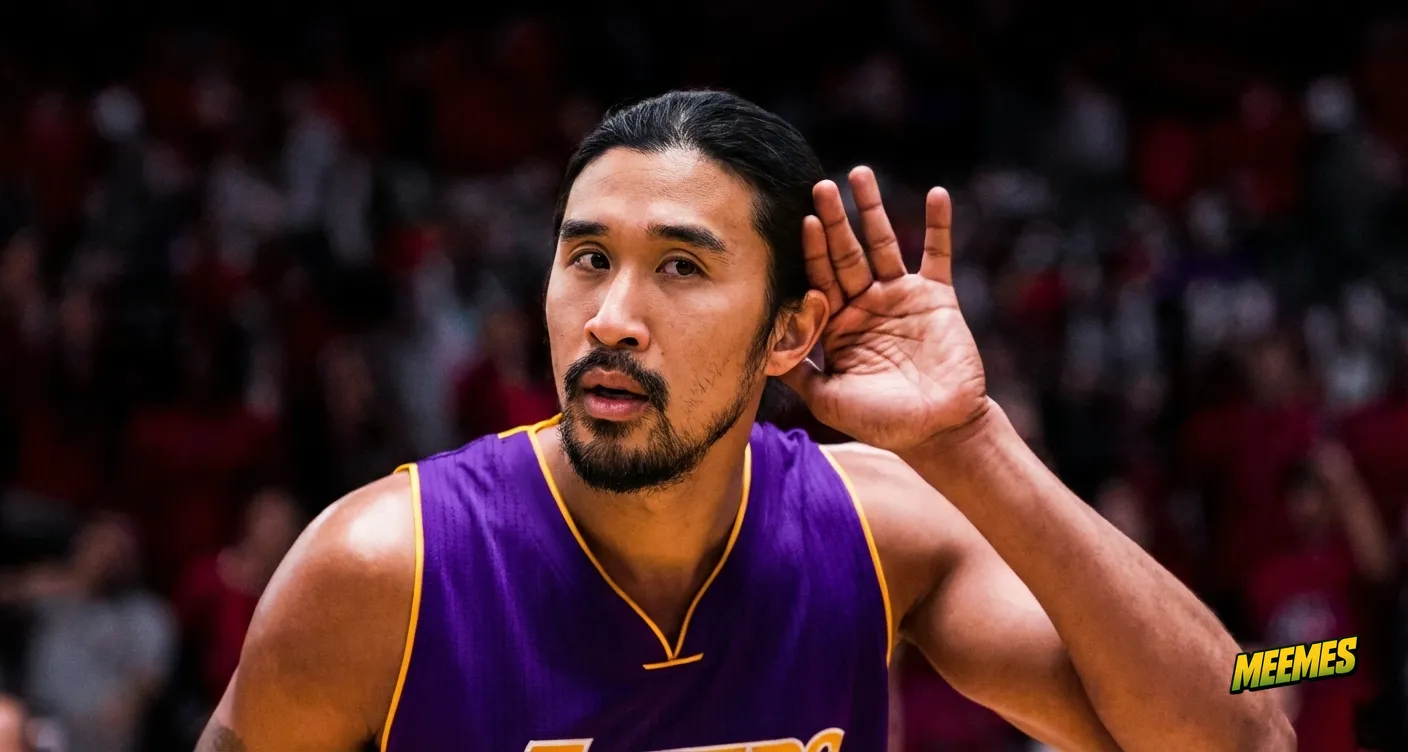
So we built something different. Instead of just swapping faces, our Character Swap reimagines the entire character. It doesn't try to blend your face onto someone else's head - it regenerates the scene with you as the character.
The difference is subtle but massive. Your skin tone stays your skin tone. Your facial structure informs the whole character, not just a pasted-on face. The result looks like you actually belong in that meme, because the AI isn't fighting against a mismatch - it's building around you.
When to Use Which
We kept both options because they each have their place:
Static Face Swap is faster and works great when you're swapping onto a meme where the original face is similar to yours - similar skin tone, similar gender presentation, similar facial structure. It's also better for preserving exact expressions from the original meme.
Character Swap is what you want when there's any significant difference between you and the meme template. Different skin tone? Character swap. Different gender? Character swap. The original meme has a completely different face shape? Character swap. It takes a bit longer to process, but the results are worth it.
Getting the Best Results
Whichever mode you use, there are two things that make the biggest difference in output quality: your source photo and the meme you choose.
Your Source Photo Matters (A Lot)
The AI can only work with what you give it. A blurry, dark, or partially obscured photo will produce blurry, weird results. Here's what actually works:
Just you in the frame. Group photos confuse the AI about which face to use. Even if your face is the biggest, other faces in the image can interfere with the detection and generation. Crop them out or use a different photo.
Neutral expression. I know, I know - your laughing photo is great. But for face swaps, a neutral or slight smile works best. Extreme expressions (wide open mouth, squinting eyes, etc.) don't transfer well because the target meme has its own expression that needs to come through.
No sunglasses. This seems obvious but I get enough support emails to know it isn't. The AI needs to see your eyes. Sunglasses, ski goggles, VR headsets - none of these work. Regular glasses are usually fine.
Good lighting, front-facing. Natural light or well-lit indoor photos. Face the camera. Side profiles can work but you're making it harder than it needs to be.
Picking the Right Meme Template
Not all memes are created equal for face swapping. The template you choose affects your results just as much as your source photo.
Higher resolution = better results. That crusty, deep-fried meme that's been screenshot and re-uploaded 47 times? The AI struggles with it. Look for cleaner versions of templates when possible. Tenor usually has decent quality versions of popular memes.
Clear, visible faces work best. If the face in the meme is tiny, heavily obscured, at an extreme angle, or covered in face paint/heavy stylization, results will be inconsistent. The classics are classics for a reason - Drake, Distracted Boyfriend, reaction memes with clear expressions.
GIFs with stable faces. For animated memes, the ones that work best have relatively stable face positioning. Subtle movements (blinking, small head turns) are fine. Wild camera movements, quick cuts between angles, or extreme face deformation will produce rougher results.
What's Next
We're still actively building. The character swap model gets better with each iteration, and we're working on making the processing faster without sacrificing quality. There's also some interesting stuff coming around animated character swaps - taking the reimagining approach but for GIFs.
If you've got feedback or hit issues, let me know. This whole thing started because existing tools didn't work for everyone. Making sure MEEMES actually works for everyone is the whole point.
Try It Yourself
The best way to see the difference is to try both. Use Face Swap for quick similar-to-similar swaps, Character Swap when you need something that actually looks like you. Both are available right now - no signup needed to try it out.